Stories for website
Your website.
Now it's alive.
Story circles on your website
Builds trust and boosts sales
Free, no sign-up. About a minute, photos and text only from your website.
Every feature.
On one screen.
Choose how to show stories, add a banner and a contact button. The widgets in the window are real: tap, hover, swipe.
Drives engagement
5 ways stories fit into your website
- 1
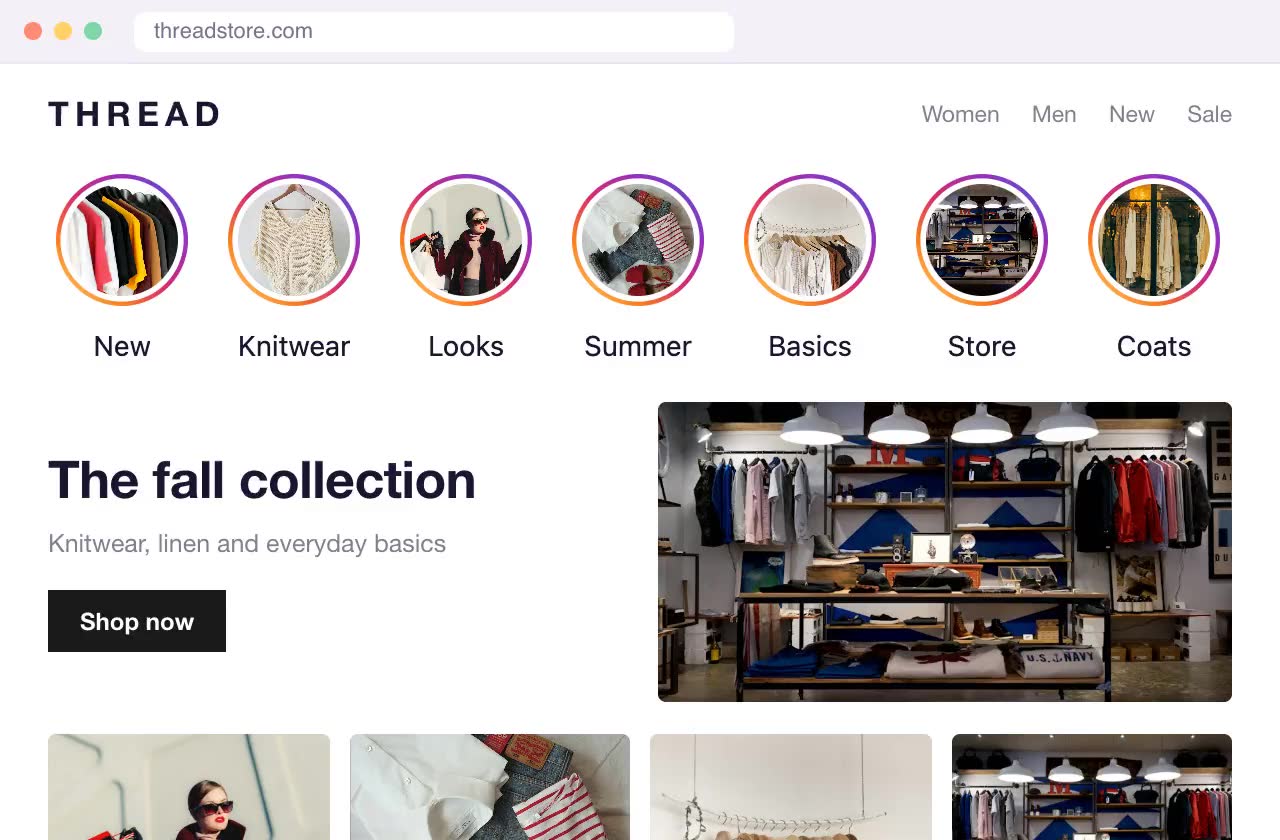
As a block on the page
A row of circles anywhere on the page, for example under the header or above your product grid.
- 2
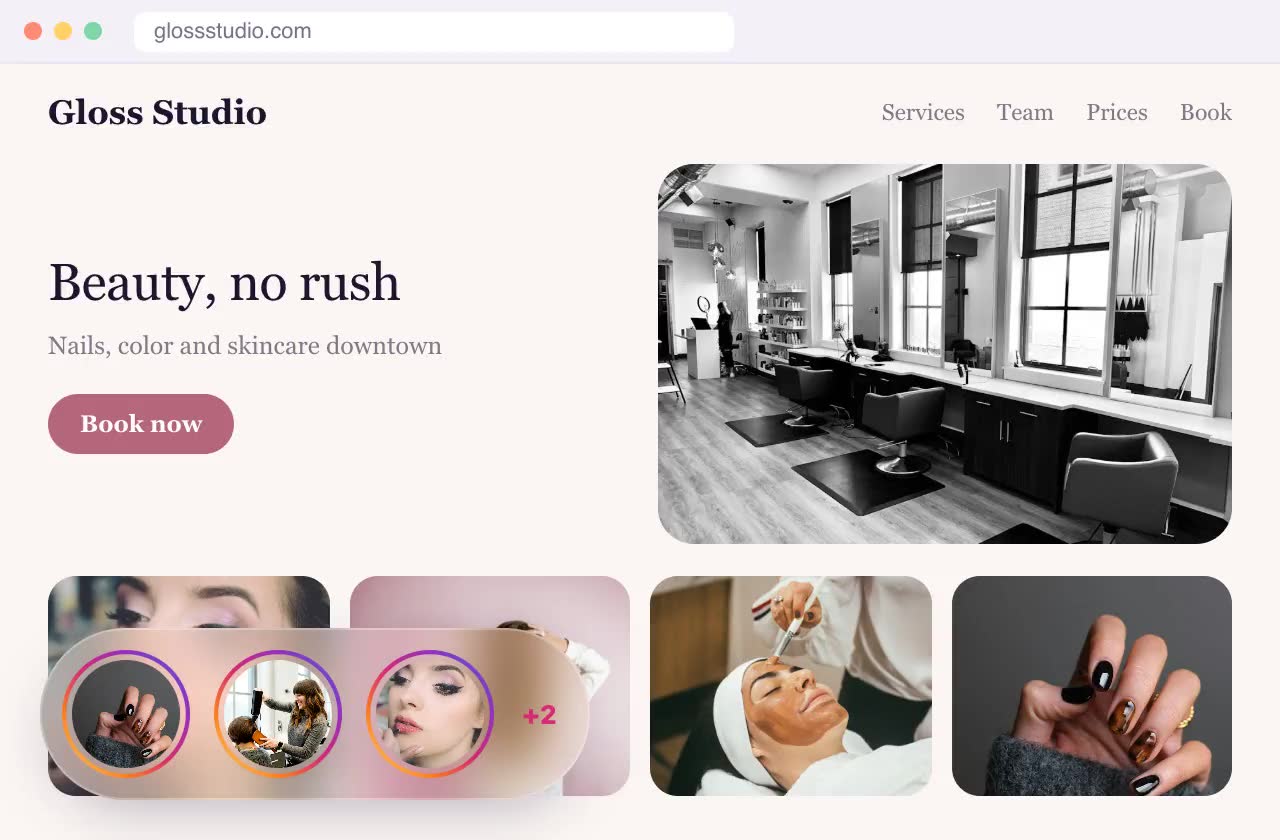
Floating in a corner
A capsule with three circles over your site in the bottom left or right corner that expands into the full list on hover or tap. Visible on every page.
- 3
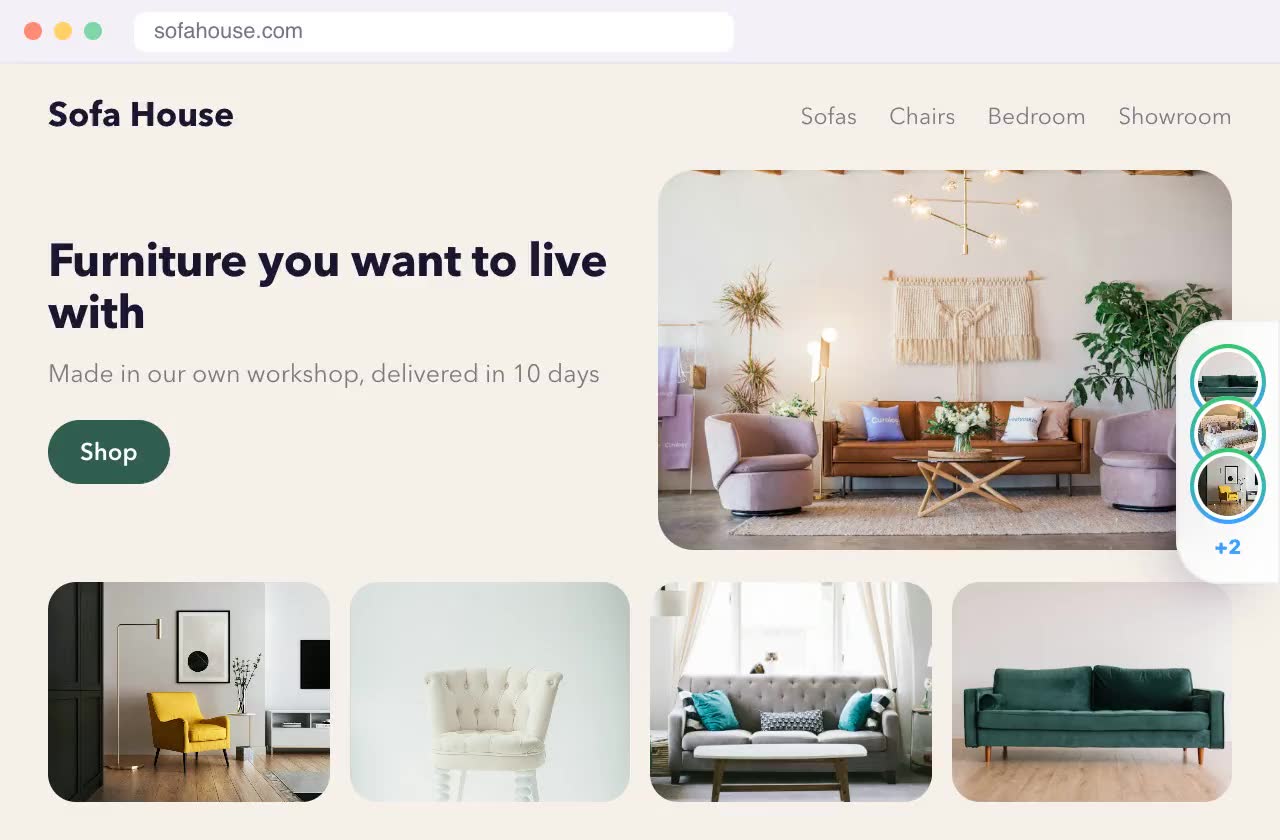
As a side tab
A stack of covers at the edge of the screen that slides out on hover or tap. Doesn't cover your content.
- 4
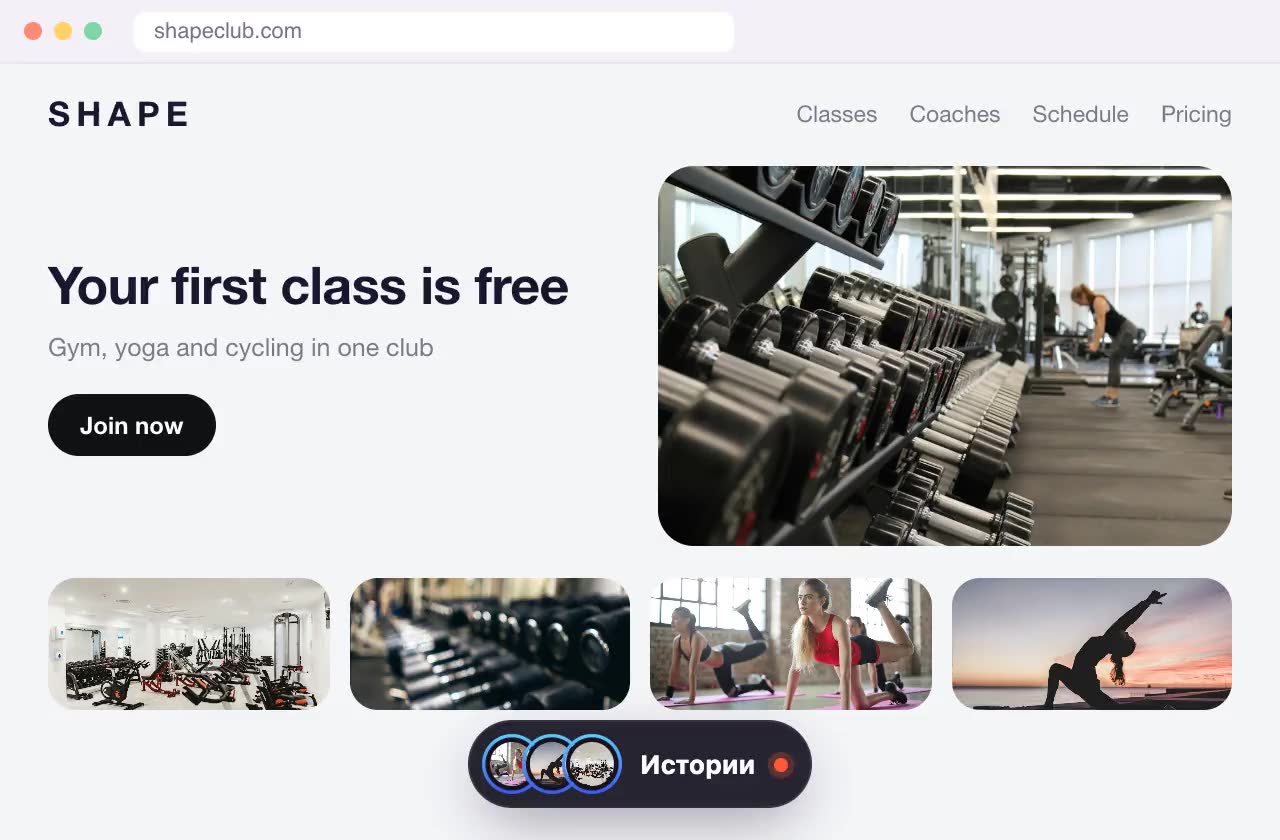
As an island at the bottom
A dark pill at the bottom center of the screen with a stack of covers. Tap it to expand into a row of circles; it hides while you scroll down.
- 5
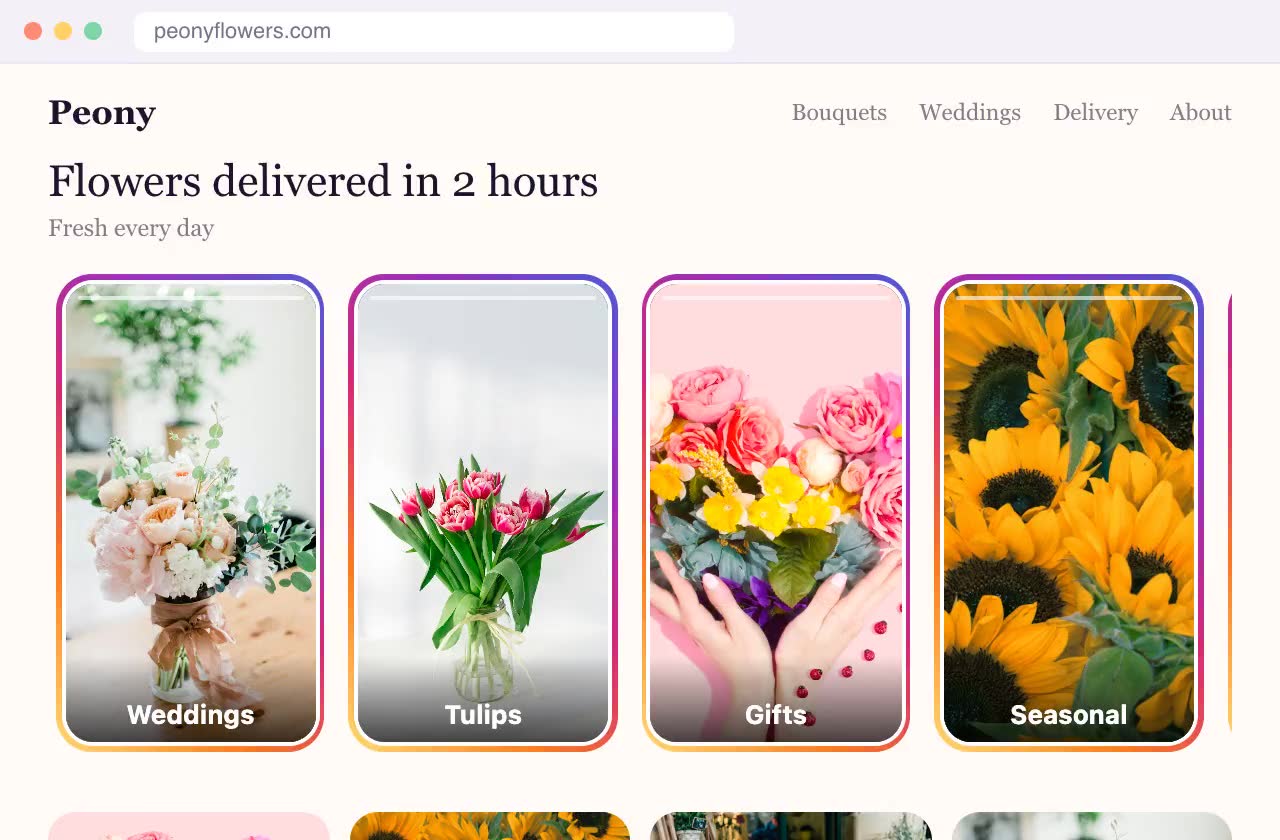
As cards on the page
Vertical 9:16 cards instead of circles, showing the first slide or a muted video and a headline. They look like part of your site design.
How Swoopkit boosts conversion
Trust + a shorter path = more leads
Visitors leave when they're unsure or can't find what to click. Swoopkit fixes both.
Trust
Show your people, your work and reviews. Visitors see a real business and feel ready to reach out.
A shorter path to the offer
Your offer pops up at the right moment. No digging through menus.
A shorter path to a chat
WhatsApp, Messenger, Instagram and phone in one tap. No hunting for contacts.
Customer journey
Fewer steps, more customers reach you
Every extra step loses some visitors. Swoopkit removes the extra steps.
- 1Lands on your site
- 2Scrolls and hesitates
- 3Looks for deals in the menu
- 4Looks for your phone number
- 5Leaves for a competitor
- 1Lands on your site
- 2Watches your stories and sees the deal
- 3Messages you right away
Website widgets: stories, pop-up banner and contact button
Stories for your website: trust at first sight
Show new arrivals, your team, behind-the-scenes and reviews in the format everyone knows from Instagram. Your site stops being a static brochure and comes alive.
- Photos and videos with a headline and a button right on the slide
- Story circles in a block on the page or floating in a corner
- Everyone already knows how stories work, nothing to explain



Pop-up banner: your offer finds the customer
Show a discount, a new product or a booking offer at the right moment: after a few seconds, on scroll or when the visitor is about to leave.
- Centered pop-up, corner card, mini banner or bottom bar
- A “Sale” badge, photo and button: looks neat on any site
- Only on the pages you choose, and no more often than you decide

Contact button: message you in one tap
All your contact options in one neat button. Customers pick their favorite messenger and write to you right away.
- WhatsApp, Messenger, Instagram, Telegram, Viber, LINE, SMS, phone and email
- With a single channel, the button opens the chat directly
- Your color, your corner of the screen

Quick start
Live in 5 minutes, no developer needed
- 1
Build a widget
Pick a type, upload photos, write the text. The live preview shows exactly how it will look on your site.
- 2
Paste one line of code
Just once: every widget you add later appears on your site automatically. Works with Shopify, WordPress, Wix and any website.
- 3
Get leads
Leads arrive in your inbox and dashboard. Update offers and stories yourself, anytime.
Pricing
Free for 3 months, everything included
All widgets are free for 3 months with a small “Made with Swoopkit” badge, no credit card required. After that, the paid plan: widgets without the badge.
- All three widgets: stories, banners, contact button
- Unlimited views
- Leads by email and in your dashboard
- “Made with Swoopkit” badge
- All three widgets: stories, banners, contact button
- Unlimited views
- Leads by email and in your dashboard
- No “Made with Swoopkit” badge
- All three widgets: stories, banners, contact button
- Unlimited views
- Leads by email and in your dashboard
- No “Made with Swoopkit” badge
Start for free. Payment for the paid plan is coming soon to your dashboard.
FAQ
Frequently asked questions
How do I add stories to my website?
Sign up for Swoopkit, create a Stories widget, upload photos or videos and choose where the circles appear. Then paste one line of code into your site once. After that you update stories in your dashboard, no site edits needed.
Do I need a developer?
No. You build the widget in a visual editor and paste a single line of code into your site settings, once. Everything else happens in your dashboard.
Which website platforms are supported?
Any website where you can add a code snippet: Shopify, WordPress, Wix, Squarespace, Webflow and custom sites.
What widgets does Swoopkit include?
Three: stories (photo and video circles like on Instagram), a pop-up banner for offers or lead capture, and a floating contact button with WhatsApp, Messenger, Instagram, Telegram, phone and email.
Will it slow down my site?
No. Widgets load after your page and weigh less than a single photo.
Where do leads go?
Straight to your inbox as soon as a visitor submits the form, and to your dashboard where they're easy to review.
What happens after 3 months?
Your widgets stop showing on your site until you choose the paid plan. Everything you built stays in your dashboard, and the paid plan shows widgets without the “Made with Swoopkit” badge.
Where is my data stored?
On servers in Germany (EU).